July 27, 2026 at 5:27 AM
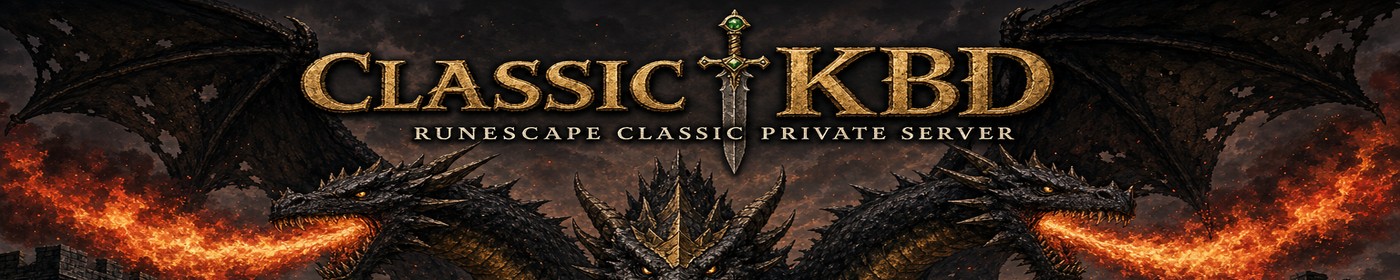
We rolled out a full visual pass so ClassicKBD matches the new King Black Dragon loading / login art.
Where it was applied:
Client
- New loading splash and login background artwork (three-headed KBD, fire, gothic castle framing)
- Stone / bronze UI framing on the login and loading screens so the menus sit cleanly on the art
Website
- Site-wide dark gothic theme: charcoal stone panels, burnished gold borders, fire hover accents
- Dropdown menus, popup / login modals, close buttons, form fields, and primary buttons all retimed to match
- Banner art on the header; Discord buttons stay Discord blue on purpose
- Home banner status now reads Old ClassicKBD Online / New ClassicKBD Online
Launcher (v12.28)
- Same KBD artwork in the header banner and background
- Gold-framed server cards, themed progress bar, and readable Play / Website buttons
- Maximize / resize letterboxes up to 1.5x instead of stretching the UI awkwardly
- Download the fresh ClassicKBD_Launcher.zip from the Download page, Extract All, then run Launch.bat
What you should do:
1. Grab launcher v12.28 from Download if you do not have it yet
2. Hard-refresh the website (Ctrl+F5) to pick up the new theme and art
3. Play as usual — Old ClassicKBD on 43594, testing world still available from the launcher
More polish may follow, but the look should finally feel like one ClassicKBD identity from splash screen to website to launcher.
- BrwN
Where it was applied:
Client
- New loading splash and login background artwork (three-headed KBD, fire, gothic castle framing)
- Stone / bronze UI framing on the login and loading screens so the menus sit cleanly on the art
Website
- Site-wide dark gothic theme: charcoal stone panels, burnished gold borders, fire hover accents
- Dropdown menus, popup / login modals, close buttons, form fields, and primary buttons all retimed to match
- Banner art on the header; Discord buttons stay Discord blue on purpose
- Home banner status now reads Old ClassicKBD Online / New ClassicKBD Online
Launcher (v12.28)
- Same KBD artwork in the header banner and background
- Gold-framed server cards, themed progress bar, and readable Play / Website buttons
- Maximize / resize letterboxes up to 1.5x instead of stretching the UI awkwardly
- Download the fresh ClassicKBD_Launcher.zip from the Download page, Extract All, then run Launch.bat
What you should do:
1. Grab launcher v12.28 from Download if you do not have it yet
2. Hard-refresh the website (Ctrl+F5) to pick up the new theme and art
3. Play as usual — Old ClassicKBD on 43594, testing world still available from the launcher
More polish may follow, but the look should finally feel like one ClassicKBD identity from splash screen to website to launcher.
- BrwN
Edited September 29, 2026 at 2:19 PM